
Every product is independently reviewed and selected by our editors. If you buy something through our links, we may earn an affiliate commission at no extra cost to you.
Every air fryer owner reaches this point eventually, you’re reheating something at midnight, and that high-pitched beep cuts through the silence like an alarm. Or maybe you live with someone who wakes up easily, and the machine’s end-of-cycle tone is louder than it needs to be. In short, you want to know how to turn the air fryer sound off, or at least quiet it down, without breaking the machine or voiding your warranty.
I’ve worked with a wide range of air fryer models in real kitchens, Philips, Ninja, Instant Vortex, Cosori, Breville, and a half-dozen unbranded imports that all behave differently. What most people don’t realize is that sound behavior is not universal. Some air fryers have built-in mute settings; others require clever workarounds, and a few don’t allow full silencing at all.
Understanding what’s actually making that sound, and how the control board sends those signals, is key to finding the safest way to reduce or disable it. This article will break down exactly what’s possible model by model, explain the underlying logic, and show you several safe, tested methods that won’t compromise your air fryer’s safety or warranty.
The Real Reasons Behind Air Fryer Beeps and Sounds
Air fryer sounds come from piezo buzzers or small electronic speakers mounted on the control board. Manufacturers include them for three main reasons:
- User safety and timing feedback. The beeps confirm that a button was pressed and signal when cooking is complete. Because air fryers operate at high heat, the sound acts as a safety prompt, especially when the basket must be handled carefully.
- Consumer usability standards. Regulatory bodies often require audible confirmation on devices that execute heat or timing commands, so the beeps aren’t arbitrary, they’re part of product certification.
- Manufacturing simplicity. Many air fryers use generic control boards designed for multiple appliances. The buzzer is baked into the board, and removing it would require circuit modification, something manufacturers avoid for mass production efficiency.
Most people think the sound is simply a setting that can be switched off like an oven chime. But unless the firmware includes that option, there’s no official “mute” button. That’s why you’ll find it on some newer smart models and not others. Understanding this helps you avoid chasing non-existent features or damaging your board by trying to “DIY silence” it.
What Actually Matters Before You Start
Before trying to silence or reduce sound, identify these key factors:
- Model and firmware version. The exact method depends on the control interface. A Ninja AF161 won’t behave like a Cosori Pro II or Instant Vortex Plus. Check your model number, usually printed near the basket or on the back.
- Control type. Touchscreen and digital-interface air fryers often have hidden settings or button combinations for silent mode. Mechanical dial models, on the other hand, rely on physical timers and rarely beep at all.
- Warranty status. If your air fryer is under warranty, opening the case to disconnect the buzzer will void it. Always try software-based or manufacturer-approved methods first.
- Cooking environment. If you’re mostly concerned about late-night use, reducing noise at the user level (e.g., closing the kitchen door, lining the counter with a towel) may achieve enough quiet without modification.
- Safety awareness. The beep isn’t just an annoyance, it’s a safety signal. If you mute it, you must rely visually on the timer or app notifications to avoid overcooking or forgetting hot food.

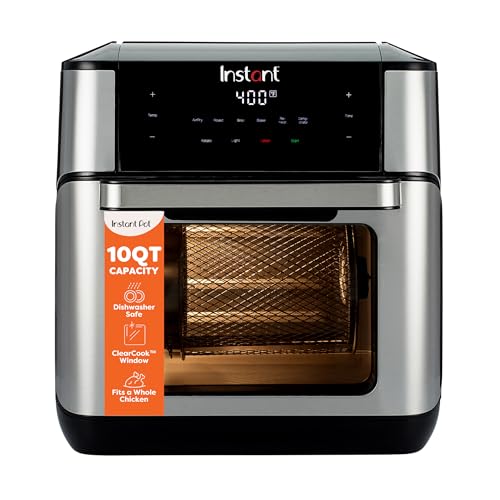

How to turn air fryer sound off Step by Step Process
Below are the step-by-step methods that have worked reliably in real kitchens, grouped by approach.
1. Check for Built-In Sound Settings (Always Start Here)
What to do: Consult your user manual or digital menu. On some models, holding certain buttons triggers a mute function.
- Instant Vortex Plus / Instant Vortex Pro: Hold the Time and Temp buttons for 5 seconds until you hear a slight click or see “SND OFF” on the display. Repeat to turn sound back on.
- Cosori Pro II Air Fryer (CP358-AF): Hold the power symbol for 3 seconds when the unit is on standby; display shows “Beep Off.”
- Ninja Dual Zone (AF400UK, AF300): Press and hold both Zone 1 and Zone 2 buttons for 5 seconds to toggle sound settings.
- Philips XXL and Turbostar models: No mute option via controls—only physical modification possible.
- Breville Smart Oven Air Fryer Pro: Use the settings menu to scroll to “Sound” and select “Off” or “Low.”
Why it matters: These hidden shortcuts are built into firmware, meaning they’re safe, reversible, and don’t affect warranty.
If skipped: You might attempt riskier methods unnecessarily—like opening the housing or damaging internal hardware.
2. Use Volume Reduction Instead of Full Mute
What to do: Some models allow partial sound control. When full mute isn’t available, select “Low volume” if the interface offers it (Breville and Instant brands often do).
Why it matters: You keep essential alerts—like preheat completion or error codes—without the intrusive full-volume beep.
If skipped: You may lose awareness of critical events such as overheating warnings, which only sound audibly.
3. Physical Sound Dampening (Non-Invasive)
What to do: If your model lacks a mute function but the sound originates from a rear or underside vent, position a folded silicone trivet or a soft kitchen towel behind the air fryer while it operates. Do not block air vents or underside heat outlets.
You can also apply a small adhesive felt pad to the area over the buzzer opening (usually a small hole at the back panel).
Why it matters: It physically absorbs sound waves without altering the circuitry. Piezo buzzers emit high frequencies that are easily dampened with soft, dense material.
If done incorrectly: Blocking airflow or covering plastic near a heat outlet can lead to overheating. Always confirm the buzzer hole’s distance from the exhaust vent before applying anything.
4. Firmware Reset or App Control (Smart Models)
What to do: For app-connected air fryers (like some Instant or Proscenic models), open the companion app and look for “Sound” or “Notification” settings. Some firmware updates add mute features that weren’t available originally.
You can also perform a reset—holding Power for 10 seconds—to restore the factory menu, then recheck available options.
Why it matters: Manufacturers sometimes enable or disable features through firmware updates, so a reset or latest update might unlock the mute option.
If skipped: You might assume your model lacks a sound toggle when it’s actually hidden behind outdated firmware.
5. Hardware Disconnect (Last Resort)
What to do: If your air fryer is long out of warranty and you’re technically confident, you can open the back panel, locate the piezo buzzer (a small black disc about the size of a coin), and disconnect one wire or use electrical tape to muffle it.
Why it matters: This is the only reliable way to permanently silence a model without firmware support.
If done incorrectly: You risk electric shock, voiding your warranty, or disabling other board functions. This should only be attempted if you understand electronic safety and discharge capacitors before touching the board.
Techniques That Separate Average Results from Excellent Ones
The difference between a quick fix and a reliable solution usually comes down to subtle execution details:
- Sound dampening material placement: Don’t just tape over random holes. Identify the actual sound source by turning the air fryer on and listening closely near vents. A stethoscope or paper tube helps pinpoint it precisely.
- Use of heat-safe materials: Felt pads and silicone trivets withstand heat far better than fabric or tape, which can degrade or melt.
- Testing after modification: Always test with a short 2-minute air fry cycle to ensure no overheating occurs and that you can still hear safety alerts faintly if possible.
- Firmware documentation: Keep a photo of your model and firmware screen. If you ever contact support, you’ll be able to confirm whether your model supports sound control officially.
Common Mistakes (And Why They Cause Problems)
- Blocking vents with towels. This traps heat, causing overtemperature shutdown or even melting nearby plastic. Always keep at least 2 inches of clearance around exhaust areas.
- Using electrical tape on hot surfaces. Electrical tape softens around 80–100°C and can release adhesive near vents.
- Assuming all models have hidden settings. Many budget models don’t. Forcing button combinations repeatedly can lock up the control board.
- Cutting wires while plugged in. Some DIY guides online dangerously skip unplugging the device first. Always disconnect all power before any hardware change.
- Muting and forgetting preheated food. If you disable all sound cues, use a timer or smartphone reminder, since you won’t hear completion alerts.
Variations, Adjustments, and Real-World Scenarios
Different household contexts often change what’s “best” when addressing air fryer sound:
- Shared apartments or dorms: Opt for non-invasive dampening and adjustable timers. Place the air fryer on a cork mat or silicone pad to absorb vibration and sound.
- Homes with infants or light sleepers: Choose a model with confirmed mute or low-volume settings, Breville and Instant are most considerate in this respect.
- Commercial kitchens: Never disable safety beeps entirely; audible alerts are essential when multiple devices operate simultaneously.
- Budget models (e.g., unbranded imports): If the instruction manual doesn’t mention sound control, assume none exists. Stick with external noise absorption instead of internal tampering.
- Smart home integration: Some Wi-Fi models (like Proscenic T22) allow you to receive phone notifications instead of beeps. Reassign notifications to your phone’s silent vibration if needed.
Troubleshooting Guide
| Problem | Likely Cause | Fix |
| The air fryer still beeps after following mute steps | Wrong button combination or firmware version | Confirm model number and recheck manufacturer’s site for correct sequence |
| Sound comes back after power cycle | Temporary mute not stored in memory | Hold mute buttons again after each unplug or update firmware |
| No sound even when desired | Buzzer connection loose or damaged | Inspect internal wiring only if out of warranty; otherwise, seek service |
| Sound reduction worked but now airflow seems weaker | Dampening material blocking exhaust | Remove or reposition noise-absorbing pad |
| Beep volume suddenly louder than before | Firmware reset or glitch | Perform full reset or contact support to restore settings |
| Using towel behind air fryer causes overheating smell | Insufficient airflow | Replace with silicone trivet or move towel farther away |
Frequently Asked Questions
1. Can I completely silence a Cosori air fryer? Yes, on models like the Pro II (CP358-AF), holding the power button for several seconds toggles “Beep Off.” On older Cosori models, there’s no mute option without hardware modification.
2. Why does my air fryer beep multiple times at startup and end? Most air fryers issue 2–3 beeps as part of their power-on self-test. It confirms the control board sequence is intact. The end-of-cycle beeps are firmware-coded alerts that cannot be removed unless you disable the buzzer circuit.
3. Is it safe to cover the speaker hole with tape or cloth? Not ideal. Tape can melt, and cloth can trap heat or moisture. Use a small piece of felt or silicone-safe sound-dampening material instead.
4. Will muting the air fryer void the warranty? Software muting (via buttons) is fine. Physical modification or circuit interference absolutely will void it.
5. Can I use a power strip with a switch to cut sound instantly? No. Power-cycling repeatedly can shorten circuit board life. Always use proper off modes rather than cutting power abruptly.
6. Why doesn’t my manual mention sound control even though I’ve seen others mute theirs? Some models share identical shells but different firmware versions. Only later revisions include sound control, even if the exterior looks identical.
7. Can I request a firmware update from the manufacturer? Yes, manufacturers like Instant Brands or Ninja occasionally provide updates if your model supports USB or app connection. Contact their support with your serial number.
8. If I remove the buzzer, can I still use the air fryer normally? Technically yes, but you lose all audible error alerts—overheat, door open, or timer complete. If you proceed, compensate with visual checks.
Final Thoughts and Practical Takeaways
Muting or reducing sound on an air fryer isn’t just about comfort, it’s about balance between usability and safety. Knowing how to turn air fryer sound off safely requires understanding whether your model’s firmware allows it, and if not, choosing non-invasive methods that don’t interfere with heat or airflow.
From my experience across multiple brands, the best strategy is layered: first check for hidden software toggles, then move to subtle dampening if needed. Only consider hardware modification as a last resort, and only when you fully understand the risk.
In real kitchens, a quiet air fryer is achievable without breaking warranty or safety rules, you just need to approach it like any other appliance adjustment: start with knowledge of its design, respect its engineering, and test carefully.
A muted air fryer won’t make your food cook better, but it can make your home life quieter, and that’s a worthwhile improvement for anyone who cooks late, shares space, or simply appreciates a calmer kitchen.